WELCOME TO
Safe VPN
CONTACT CENTER

Support Team
Our Support team is ready to help you anytime.
To request support, don't hesitate to address this e-mail: office@vpnsafenet.com
Frequently Asked Questions
Or contact us via email or live-chat.
-
What is a VPN?
First things first, what does VPN mean? Virtual Private Network (VPN) is a technology that is used to secure users’ private network traffic over a public network, such as the internet. VPN is used for:
- Protecting your data and web traffic from unauthorized parties
- Masking your real location and anonymizing your identity
- Bypassing content geo-restrictions and unblocking websites and services
To deliver its benefits, a VPN needs several components: VPN servers, VPN protocols, and encryption protocols. This security mix ensures the privacy and integrity of your sensitive data throughout its journey from your device to the destination site or service.
-
Is Safe VPN safe for me?
We are using military-grade encryption to hide your internet activity from snoops. Your data is undecipherable to prying eyes while in transit. Moreover, we don’t keep connection or activity logs, we never share your details with anyone. You could always rely on us to protect your online privacy.
-
Will Safe VPN slow down my internet?
Your internet may be slightly impacted when you connect to Safe VPN. This is because your online traffic is routed through a secure encrypted tunnel where VPN encrypts your data to ensure safety and security. However, if there is a major drop-down, please change to another protocol or connect to another server. If the issue persists, please try to connect to a different Internet service provider (ISP) as your current ISP might be throttling the internet speed.
-
How to find the best server?
Go to the servers button, which is in the middle of the screen Tap the Select Server and pick the country where you want the server to be. We recommend selecting the top server as it is the server that provides the fastest connection based on your current location.
-
How to create an account (First Time Registration)
Launch Safe VPN then click “Sign in”. Go to the bottom and click “Create an account”. Fill up the information and click “Sign up”.
Once sign-up is successful, log in with your registered email address.
-
What do I get with my subscription?
Safe VPN app and 500+server locations. You can also access a wide range of online streaming services and social media sites, e.g.: HotStar, Netflix, Pubg Mobile and etc.
On top of that, a premium subscription provides you Ads-free experience and exclusive benefits like Kill Switch function and faster speed.
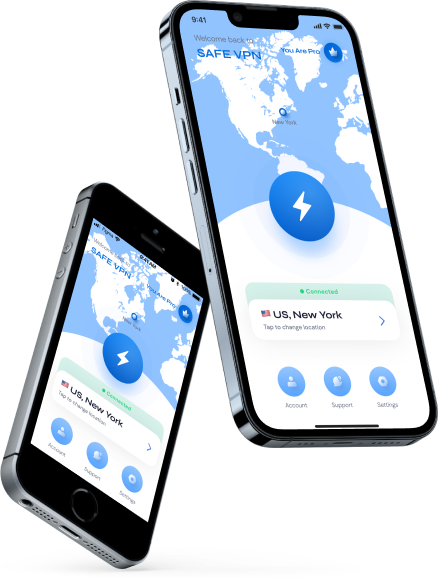
Download the best VPN for iOS
Take back your internet with a risk-free iPhone or iPad VPN.
-
Built foriOS 15, 14, 13, and 12
-
Perfect work withiPhone 13, 12, 11, SE, XS, XR

